Setting up a new computer is bliss — no old, unused apps and the machine performs much better than the previous. Unfortunately, you may encounter new problems based on the new hardware. One such issue I encountered with my new MacBook was a “This video format is not supported” message when I went to YouTube TV.
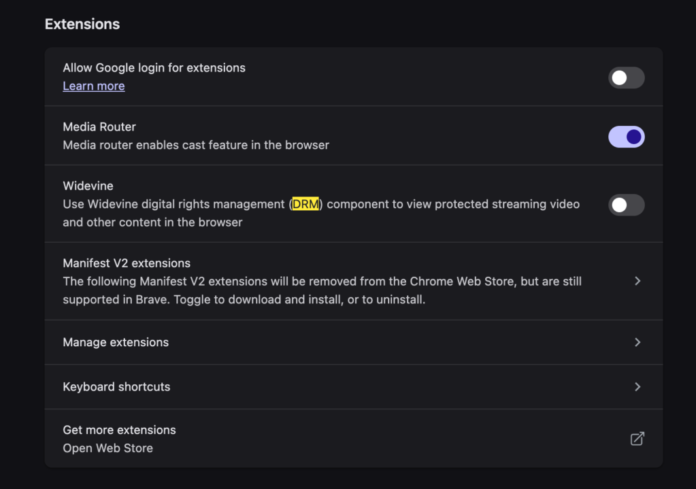
Not being able to watch my favorite live show is a real problem. After a bit of research, I found the solution to the “This video format is not supported” error message. To solve this problem:
- Open your browser settings and do a search for
DRM - You should see reference to
Widevine, a form of DRM - Enable this
Widevinesetting - Restart your web browser
Enabling Widevine within your browser will make your YouTube TV video feed work properly. Better than needing to install a codec like the good old days, right?


Source link